


UK ETA App: How to Apply for a UK ETA on Your Phone — Android & iOS (2026)
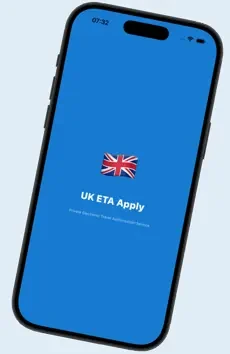
You can apply for a UK Electronic Travel Authorisation directly from your phone using either ETA for UK Travel for Android (Google Play) or UK ETA Apply for iOS (App Store). Both apps take you through the same application: enter your passport details, upload a compliant photo, answer the suitability questions, and pay. The UK government fee is £20 per person (non-refundable). The Home Office returns a decision — typically an approval — within a few hours, maximum 3 working days. The ETA is valid for 2 years, multiple entries, up to 6 months per visit. No NFC scanning required on either app. Apply at least 7 days before departure.
- What are the ETA for UK Travel (Android) and UK ETA Apply (iOS) apps?
- Who needs a UK ETA — and does the app change anything?
- What you need before you start
- How to apply: step-by-step guide
- Photo requirements for the app
- Processing time and what happens next
- Android app vs iOS app vs website — comparison
- Troubleshooting common problems
- Frequently asked questions
1. What Are the ETA for UK Travel (Android) and UK ETA Apply (iOS) Apps?
ETA for UK Travel (Android) and UK ETA Apply (iOS) are the two mobile apps that let you complete and submit a UK Electronic Travel Authorisation application straight from your phone or tablet. Both are operated by application-eta.uk, a private UK ETA assistance service — not affiliated with the UK Government or Home Office — and both walk you through the same application flow.
Applications submitted through either app connect to the same UK Home Office processing system used by all approved channels. The assistance layer means your form is reviewed for errors before submission, reducing the risk of delays caused by photo non-compliance or data mismatches — whichever app or device you use.
| Detail | ETA for UK Travel (Android) | UK ETA Apply (iOS) |
|---|---|---|
| Platform | Android (Google Play) | iOS (App Store) |
| Store URL | Google Play | App Store |
| Minimum OS version | Android 8.0 (Oreo) and above | Recent iOS release — check the App Store listing for the exact minimum version |
| NFC scanning required? | No | No |
| Government fee included | Yes — £20 per person | Yes — £20 per person |
| Processing time | A few hours (max 3 working days) | A few hours (max 3 working days) |
| Available on the other platform? | iOS users: use UK ETA Apply | Android users: use ETA for UK Travel |
| Operated by | application-eta.uk (private assistance service) | application-eta.uk (private assistance service) |
A UK Electronic Travel Authorisation (ETA) is a mandatory digital pre-travel permission for all nationals of visa-exempt countries — including all EU/EEA, US, Canadian, and Australian citizens — since 2025. It costs £20, is valid for 2 years with multiple entries, and allows stays of up to 6 months. Full background: UK ETA FAQ 2026.

2. Who Needs a UK ETA — and Does the App Change Anything?
A UK ETA is required for all nationals of visa-exempt countries travelling to or transiting through the United Kingdom — regardless of how you apply, or whether you use Android or iOS. The app is simply one way to submit your application. Using an app does not change eligibility, cost, validity, or the conditions of your ETA.
You need a UK ETA if you hold a passport from any of approximately 50 countries, including all EU and EEA member states (mandatory since April 2025), the United States, Canada, Australia, New Zealand, Japan, South Korea, Singapore, and all Gulf Cooperation Council states. Full list: UK ETA Eligible Countries 2026.
You do not need a UK ETA — and therefore do not need either app — if you are a British or Irish citizen, hold a valid UK visa, or have UK settled or pre-settled status.
All EU citizens including French, German, Dutch, Polish, and other EU nationals have required a UK ETA since April 2025. EU national ID cards are not accepted — a biometric passport is required. See: UK ETA for EU Citizens 2026.
3. What You Need Before You Start
Have the following ready before opening the app:
- A compatible phone or tablet — Android 8.0 or above for ETA for UK Travel, or an iPhone/iPad running a recent iOS version for UK ETA Apply
- Valid biometric passport from a UK ETA-eligible country — must be the passport you will use for travel
- Passport-style photo of yourself, taken within the last 6 months (see photo requirements below)
- Clear photo of your passport data page (the page with your photograph and personal details)
- Email address — the Home Office sends your approval here
- Credit or debit card for payment (Visa, Mastercard, Amex)
- Travel dates — approximate dates are acceptable; a confirmed booking is not required
All personal details entered in either app must match your passport exactly, including spacing, hyphens, and diacritics in names. A mismatch between your ETA and passport data is flagged automatically at airline check-in and can result in boarding denial. If in doubt, apply through the Dedicated Agent service for an expert review before submission.
4. How to Apply for a UK ETA on Your Phone: Step-by-Step
Step 1 — Download the app for your device
On Android, open Google Play and search for ETA for UK Travel, or go directly to the Google Play listing. On iPhone or iPad, open the App Store and search for UK ETA Apply, or go directly to the App Store listing. Tap Install / Get. Both apps are free to download.
Step 2 — Enter your personal and passport details
Open the app and complete the personal information fields: full legal name (as in passport), date of birth, nationality, passport number, and passport expiry date. Double-check every field before continuing — errors at this stage are the second most common reason for processing delays.
Step 3 — Upload your passport photo and data page
Take or select a compliant passport-style photo of yourself and upload it. Then photograph your passport data page and upload that too. Both images must be sharp, well-lit, and free from glare. On both apps, an automatic check reviews image quality before you can continue.
Step 4 — Answer the suitability questions
The Home Office requires you to answer questions about: criminal convictions (in any country, including spent convictions depending on severity), previous immigration refusals or deportations, and certain medical conditions. Answer honestly — providing false information is a criminal offence under UK law, and undisclosed matters discovered at the border result in immediate entry refusal.
Step 5 — Choose your service tier and pay
Select your processing tier. All packages include the £20 UK government fee. Pay securely by credit or debit card, or with Apple Pay / Google Pay depending on your device. You will receive an order confirmation immediately.
Step 6 — Wait for your Home Office decision
The Home Office processes your application and sends an approval email to the address you provided. Most applications are approved within a few hours. The official maximum processing window is 3 working days. Check your spam/junk folder if no email arrives within 24 hours.
Step 7 — Travel with your passport — no printout needed
Your ETA is stored electronically and linked to your passport number. At check-in and at the UK border, it is retrieved automatically when your passport is scanned. You do not need to show any document or QR code. See also: Check Your UK ETA Status.
The Home Office recommends applying at least 3 working days before departure. Travel specialists recommend 7–14 days in advance to allow for any additional checks or photo-related resubmissions. You cannot apply at the airport — the ETA must be approved before your flight departs.
5. Photo Requirements for the UK ETA App
Photo non-compliance is the single most common reason for UK ETA delays and rejections. The UK Home Office applies strict standards, and the same requirements apply whether you use ETA for UK Travel on Android or UK ETA Apply on iOS. Each app guides you through the requirements, but you must ensure your photo meets the specifications before uploading.
| Requirement | Specification |
|---|---|
| Background | Plain, light-coloured (white or off-white preferred) |
| Expression | Neutral, mouth closed, eyes open and clearly visible |
| Face coverage | 70–80% of the frame, centred |
| Colour | Colour only — no black and white |
| Shadows | None on face or background |
| Glasses | Not permitted (except certified medical necessity) |
| Head coverings | Not permitted unless for religious reasons |
| Filters / edits | None — no beauty filters, digital alterations, or brightness adjustments |
| Quality | High resolution, sharp focus — not a selfie angle |
| Recency | Taken within the last 6 months |
| Red-eye | Not permitted |
Practical tip: stand against a white wall in natural light (not direct sunlight), ask someone else to take the photo from head height approximately 1 metre away. Do not use the front-facing selfie camera at arm’s length — the angle creates distortion, on either an Android or an iPhone camera. Full guidance: UK ETA Photo Requirements 2026.
6. Processing Time and What Happens After You Apply
Once your application is submitted through either app, it enters the same Home Office queue. Processing times:
| Scenario | Typical decision time |
|---|---|
| Standard application (no issues) | A few hours — often under 3 hours |
| Application with manual security check | Up to 3 working days |
| Application with photo or data error | Delayed — resubmission may be required |
| UK bank holidays | Extended — allow extra time |
You will receive one of three outcomes by email: Approved (valid for travel), Pending (still under review — do not travel), or Refused (see UK ETA Refused — What to Do). This is the same regardless of whether you applied on Android, iOS, or the website.
Once approved, your ETA is valid for 2 years from the date of approval, or until your passport expires — whichever is sooner. It allows multiple entries; each individual stay may not exceed 6 months. Full detail: How Long Does the UK ETA Take? and UK ETA Fees & Processing Times 2026.
7. Android App vs iOS App vs Website — Comparison
| Feature | ETA for UK Travel (Android) | UK ETA Apply (iOS) | application-eta.uk website |
|---|---|---|---|
| Platform | Android only | iOS only | Any device / browser |
| NFC passport scan | No | No | No |
| Expert form review | Yes | Yes | Yes |
| Photo compliance check | Yes | Yes | Yes |
| Priority processing available | Yes | Yes | Yes |
| 24/7 support | Yes | Yes | Yes |
| Government fee (£20) | Included | Included | Included |
| Same Home Office processing | Yes | Yes | Yes |
The key difference between using an assistance service (either app, or the website) and applying directly through GOV.UK is the review layer: a human expert checks your photo, passport data, and form entries before submission, catching errors that would otherwise cause delays or refusals. The government fee is identical whichever channel you use.
The official Home Office app requires NFC scanning of your passport chip. If your device does not support NFC, or if your phone case blocks NFC, both ETA for UK Travel (Android) and UK ETA Apply (iOS), as well as the application-eta.uk website, accept manual entry and photo upload — no NFC required on any of them.
8. Troubleshooting Common Problems
The app says my photo was rejected
Retake the photo in good natural light against a plain white wall. Ensure no shadows fall on your face. Ask someone else to take it from head height, about 1 metre away. Do not use a selfie angle. Remove glasses. Do not apply any filter. This applies the same way whether you’re using ETA for UK Travel or UK ETA Apply. See the full specification: UK ETA Photo Requirements.
I entered the wrong passport number
Once submitted to the Home Office, a form cannot be edited. If you notice an error before submission, correct it immediately. If already submitted with an error, do not travel on that ETA — apply again with the correct details. Travelling on an ETA with a passport number mismatch will trigger a boarding denial.
I haven’t received my approval email
Check your spam and junk folders first. Search for any email from the Home Office or from application-eta.uk. If nothing has arrived after 72 hours, use the UK ETA Status Check tool or contact the support team via either app or the website.
My ETA was refused
A refusal does not automatically mean a permanent ban. Common reasons include undisclosed criminal history, previous UK immigration violations, or data errors. See the full guide: UK ETA Refused — Reasons & What to Do.
I have a new passport since my ETA was approved
You must apply for a new ETA. The ETA is linked to a specific passport number — a new or renewed passport requires a new application, even if the old ETA has not expired. This is one of the most common reasons travellers are denied boarding. See: Check Your UK ETA Status.
I need my ETA urgently — same day
Select the Dedicated Agent tier when applying, on either app or the website. This service provides a processing window of 1–6 hours with a manual expert review. Full detail: Fast UK ETA — Get Your ETA Quickly.
9. Frequently Asked Questions — UK ETA App for Android & iOS
Is there a UK ETA app for Android?
Yes. The ETA for UK Travel app is available on Google Play. It lets you apply for a UK Electronic Travel Authorisation from any Android phone or tablet running Android 8.0 or above, without needing a desktop browser or NFC scanning.
Is there a UK ETA app for iPhone (iOS)?
Yes. The UK ETA Apply app is available on the Apple App Store. It offers the same expert review, photo validation, and Home Office submission as the Android app, built for iPhone and iPad.
Can I apply for a UK ETA on my phone?
Yes. Android users can apply using the ETA for UK Travel app on Google Play, and iPhone or iPad users can apply using the UK ETA Apply app on the App Store. The process takes 10–15 minutes on either app. You can also apply via the application-eta.uk website, which is fully mobile-responsive.
Are the ETA for UK Travel and UK ETA Apply apps safe?
Both apps are operated by application-eta.uk, a private UK ETA assistance service. ETA for UK Travel is listed on Google Play and UK ETA Apply is listed on the Apple App Store; both have passed their respective store’s security review process. Neither is affiliated with the UK Government. Applications submitted through either app go to the same UK Home Office system used by all channels — the assistance layer adds a review step to reduce errors before submission.
Do the apps require NFC to scan my passport?
No. Neither ETA for UK Travel (Android) nor UK ETA Apply (iOS) requires NFC. You enter your passport details manually and upload photos of yourself and your passport data page on both. NFC scanning is a feature of the official Home Office app only.
How long does it take to apply via the app?
Completing the form takes approximately 10–15 minutes on either app. Home Office processing typically takes a few hours; the official maximum is 3 working days. If you use the Dedicated Agent tier, an expert reviews and submits your form within 1–6 hours. Full processing times: How Long Does the UK ETA Take?
Can I apply for my whole family through the app?
Yes. Each family member requires a separate ETA linked to their own passport, but you can submit multiple applications one after the other using either app. Children, including infants, require their own ETA. Parents can apply on behalf of their children using the child’s passport data. Full guidance: UK ETA for Families & Children 2026.
Is the app available on iPhone?
Yes. iPhone and iPad users can now apply using UK ETA Apply, available on the Apple App Store. It provides the same application flow, photo validation, and expert review as ETA for UK Travel on Android. You can also apply via the application-eta.uk website, which works on all mobile browsers.
What does the UK ETA cost in 2026?
The UK government fee is £20 per person (increased from £16 in April 2026). This fee is non-refundable regardless of the outcome. It is included in all application packages on both apps and the website. Full breakdown: UK ETA Fees & Processing Times 2026.
Do I need to print my ETA after I apply?
No. The ETA is entirely digital — it is stored electronically and linked to your passport number. Airlines verify it automatically at check-in. At the UK border, it is read when your passport is scanned. No printout, QR code, or separate document is required. Keeping a copy of your approval email on your phone is recommended as a personal reference.
What happens if I get a new passport — do I need to reapply?
Yes. The ETA is linked to a specific passport number. If you renew or replace your passport, you must apply for a new ETA — even if your existing ETA has not yet expired. Always apply using the same passport you will travel on. See: UK ETA Status Check.
Can I use the app if I have a criminal conviction?
You can use either app regardless of your history, but you must answer the suitability questions honestly. Whether a conviction affects your ETA outcome depends on its nature and recency. If your situation is complex, the Dedicated Agent tier includes an expert review. Full guidance: UK ETA Refused — Reasons & What to Do.
Apply for Your UK ETA — From Your Phone
Download the app for your device or apply online — expert review, error checking, 24/7 support
More UK ETA Guides