


UK ETA Photo Requirements 2026: Complete Guide (Selfie + Passport Photo)
The UK ETA requires two photos: a selfie (face photo) and a scan of your passport biographical page. Both must be clear, in colour, and taken against a plain light background. Poor quality photos are one of the top reasons for UK ETA delays and rejections. This guide covers every requirement — including exact specifications, accepted vs rejected examples, and the most common mistakes to avoid.
When you apply for a UK Electronic Travel Authorisation (ETA), you are required to submit two separate photos as part of your application: a photo of your face, and a photo of your passport biographical page. These images are reviewed by the UK Home Office as part of identity verification. If either photo does not meet the required standards, your application may be delayed — or in some cases, rejected entirely.
1. Why Photo Requirements Matter for Your UK ETA
The UK ETA system uses automated identity verification. The Home Office checks your face photo against biometric data held in your passport chip, and cross-references your passport page photo against immigration databases. Image quality is not optional — it is a core part of the application process.
There are two distinct image uploads required:
- Your face photo (selfie) — a current photograph of your face, taken against a plain background.
- Your passport biographical page — a photo of the data page containing your name, photo, and machine-readable zone.
Applications with clear, correctly formatted photos are processed faster. The automated identity verification system can complete checks in minutes when images meet the required standards. Poor quality photos trigger manual review, which adds hours or days to processing time.
2. UK ETA Selfie / Face Photo Requirements
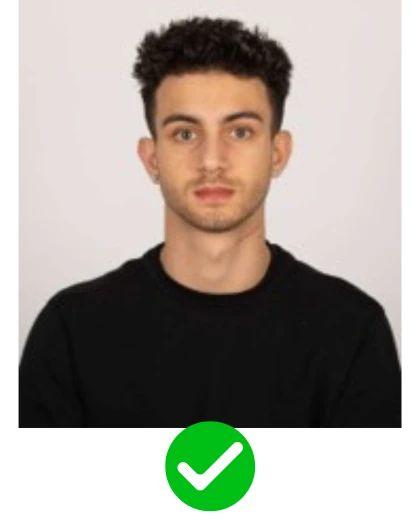
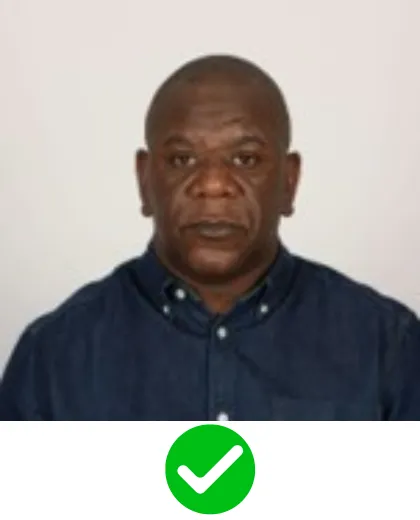
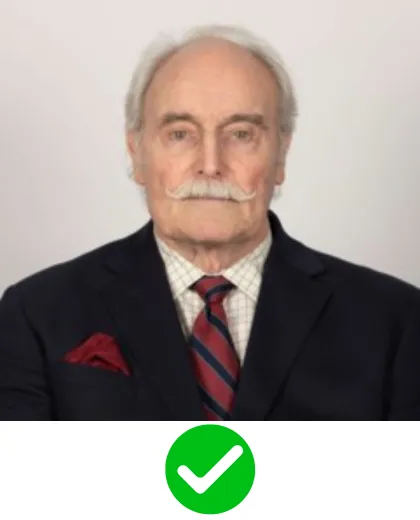
The face photo — sometimes called a selfie — is a direct photograph of the applicant’s face. This is not the passport page. It is a separate, recent photo of you as you currently look.
Face Photo: Required Specifications
| Requirement | Standard |
|---|---|
| Type | Colour photograph — no black & white |
| Background | Plain, light-coloured — white or off-white preferred |
| Pose | Front-facing, looking directly into the camera |
| Expression | Neutral — mouth closed, eyes open and clearly visible |
| Glasses | NOT allowed — remove glasses before taking the photo |
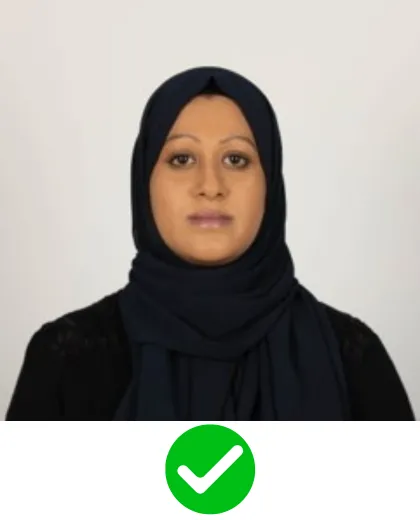
| Head coverings | Not allowed unless worn for religious reasons |
| Lighting | Even — no shadows on face or background |
| Filters / editing | None allowed — no Instagram, Snapchat, or beauty filters |
| Resolution | High quality, sharp focus — not blurry or pixelated |
| Format | JPEG or PNG, taken on phone or camera |
Face Photo: Step-by-Step Instructions
- Stand or sit in front of a plain white or cream wall.
- Ensure good, even lighting — natural daylight from a window works well. Avoid harsh overhead lights.
- Remove glasses, hats, or any accessories that cover your face.
- Look straight into the camera lens. Keep your expression neutral — relaxed face, mouth closed.
- Take the photo at eye level. Do not tilt the phone up or down.
- Ensure your full face — from chin to the top of your head — is visible. Do not crop the top of your head.
- Review the image: is it in focus? Is the background plain? Any shadows? Retake if needed.
The easiest approach is to ask someone to take the photo for you in a well-lit room against a white wall. Most modern smartphones produce more than sufficient quality when the lighting is good. Upload the original file directly from your camera roll — do not send via WhatsApp, which compresses and degrades image quality.
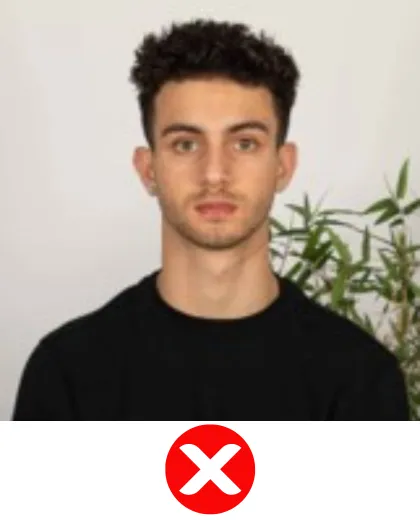
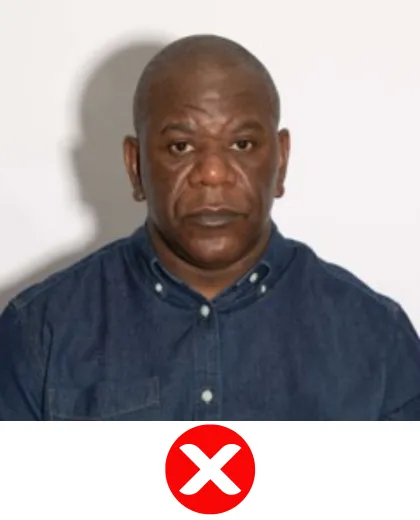
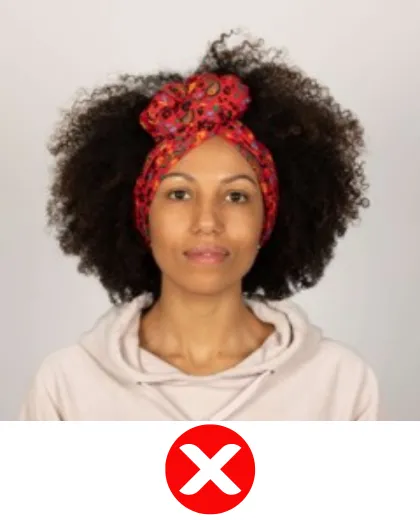
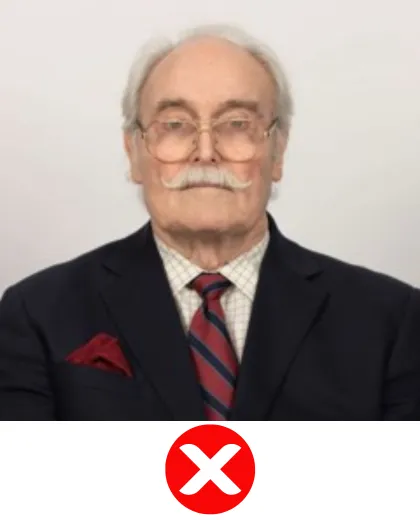

Ready to apply?
Our experts review your photos and handle your entire UK ETA application.
Apply Now — application-eta.uk ➤3. UK ETA Passport Photo Page Requirements
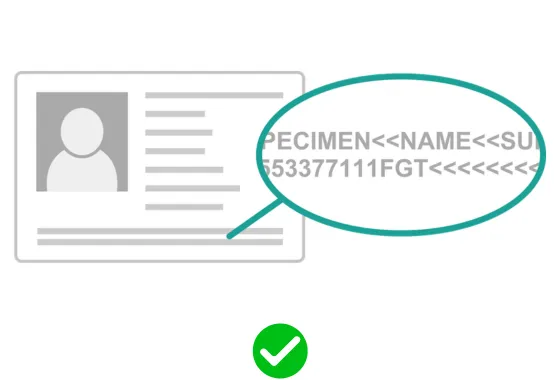
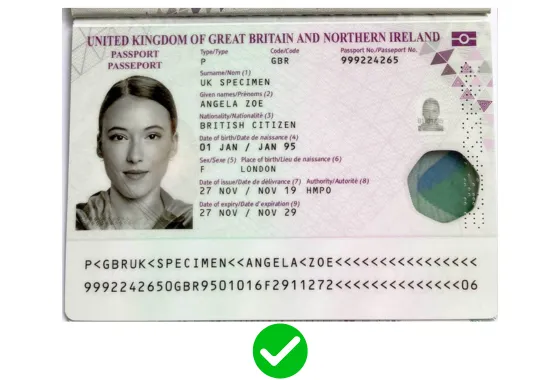
The second photo required is a scan or photograph of your passport biographical page — the page that contains your name, date of birth, passport number, expiry date, portrait photo, and machine-readable zone (the two lines of text at the bottom of the page).
Passport Photo Page: Required Specifications
| Requirement | Standard |
|---|---|
| Page to photograph | Biographical page only — the page with your photo and personal details |
| Orientation | Flat and straight — all four corners of the page must be visible |
| Lighting | No glare or reflections on the passport surface |
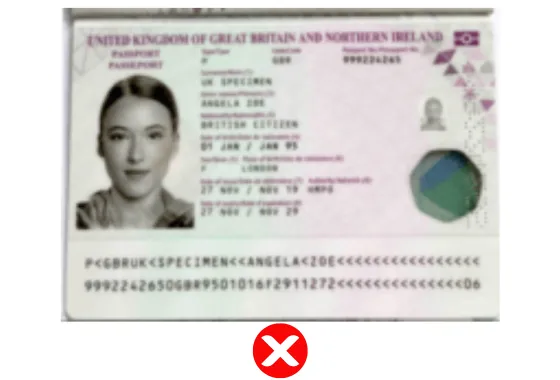
| Focus | All text, numbers, and your photo must be clearly legible |
| Colour | Full colour — do not scan or photograph in black & white |
| Background | Place passport on a dark or contrasting surface for clarity |
| Cropping | The full page must be visible — do not crop any edge or corner |
| Format | JPEG or PNG taken directly with your phone or camera |
Passport Photo Page: Step-by-Step Instructions
- Open your passport to the biographical page (the main photo page).
- Place it flat on a dark-coloured surface — a dark desk or table works well.
- Photograph from directly above, not at an angle. Ensure the entire page is within the frame and all four corners are visible.
- Check for glare from overhead lights. If there is glare, move to indirect natural light.
- Make sure all text is sharp and readable, particularly the machine-readable zone at the bottom.
- Zoom in after photographing to confirm name, passport number, and expiry date are all clearly legible.
A passport photo with glare covering the machine-readable zone (the two lines of text at the bottom of the biographical page) is one of the most frequent causes of UK ETA processing delays. The automated system cannot read the MRZ if it is obscured by a reflection. Always photograph near a window in indirect light to eliminate glare.


4. Accepted vs Rejected — Photo Examples
The table below shows the most common reasons a UK ETA photo is accepted or flagged for rejection.
| ✔ ACCEPTED | ✘ REJECTED / FLAGGED |
|---|---|
| Plain white or light grey background | Busy background — curtains, furniture, or patterns visible |
| Neutral expression, mouth closed | Smiling with teeth showing |
| No glasses | Glasses — with or without reflective lenses |
| Even lighting, no shadows | Shadow from glasses frame, nose, or hat visible on face |
| Sharp focus, high resolution | Blurry, grainy, or pixelated image |
| No filters or editing applied | Filtered, colour-adjusted, or beauty-mode photo |
| Full face visible from chin to top of head | Hair or headwear covering forehead or top of head |
| Eyes open and clearly visible | Eyes closed, squinting, or obscured by fringe |
| Looking directly at the camera | Looking sideways or at an angle to the lens |
5. The 7 Most Common UK ETA Photo Mistakes
Based on the most frequent reasons applications are delayed or flagged during review:
Mistake 1 — Shadows on the face
Caused by directional lighting, glasses frames, or hats. Fix: use diffused natural light from a window positioned to your side.
Mistake 2 — Background with visible objects
A plain wall is required. Many applicants photograph themselves in a living room with furniture visible behind them.
Mistake 3 — Wearing glasses
Remove all eyewear before taking the photo, regardless of whether the lenses are clear or tinted.
Mistake 4 — Glare on the passport page
Photographing under ceiling lights creates a bright reflection on the laminated surface. Photograph next to a window with indirect natural light.
Mistake 5 — Using an old photo
The face photo must reflect your current appearance. Do not use a photo taken more than six months ago or one where your appearance has changed significantly.
Mistake 6 — Uploading the wrong photo in the wrong field
Some applicants upload their face selfie where the passport page is required, or vice versa. Read each field label carefully before uploading.
Mistake 7 — Compressed or low-quality files
Photos shared via WhatsApp are automatically compressed. Always upload the original file directly from your phone’s camera roll.
Before submitting, open both uploaded images on your screen and zoom in to 100%. If you can clearly read all text on your passport page and clearly see your full face in your selfie without visible blur or shadows, your photos will very likely pass the review.
Ready to apply?
Our experts review your photos and handle your entire UK ETA application.
Apply Now — application-eta.uk ➤6. Special Cases & Frequently Asked Questions
Can I wear a headscarf or hijab in my UK ETA photo?
Yes. Head coverings worn for religious reasons are permitted. However, your full face must remain clearly visible from chin to forehead. The covering must not obscure any part of your face.
Can I submit a photo taken on my phone?
Yes, provided it meets all the requirements above. The critical factors are lighting, background, and focus. Always upload the original file rather than a screenshot or photo forwarded through a messaging app.
Does my selfie need to match my passport photo exactly?
No. The selfie should be a recent photo of you as you look now. A slight change in appearance is not a problem — what matters is that the photo clearly shows you are the same person as in your passport.
What happens if my photo is rejected by the Home Office?
If the Home Office flags your photo, they may request a new image, delaying processing. If you applied through our service, our team will notify you and guide you through resubmitting corrected photos. In most cases this resolves the issue without a full new application.
Do children and infants need to meet the same photo requirements?
Yes. Every applicant including newborn babies must submit their own face photo and passport scan. The same quality standards apply. For infants, the photo should show the child’s face clearly and front-on against a plain background.
Can I use a filtered or edited photo?
No. All photos must be in full colour with no filters, digital editing, or post-processing applied. The Home Office’s identity verification system requires unaltered images.
My phone camera adds a slight brightness effect automatically. Is that a problem?
Minor automatic adjustments by your phone’s camera software are generally acceptable. Deliberate filtering, retouching, or any editing that alters facial features or skin tone is not acceptable. Switch to a standard photo mode with all enhancement features disabled if in doubt.
7. Pre-Submission Photo Checklist
Before clicking Submit, run through this checklist for both photos.
Face Photo Checklist
- Photo is in full colour
- Background is plain and light-coloured — no objects, patterns, or furniture
- Face is front-facing, both eyes open
- Expression is neutral — mouth closed, no smiling
- No glasses, hats, or accessories covering any part of the face
- No shadows on the face or background
- No filters, beauty modes, or editing applied
- Image is sharp and in focus
- Full face visible from chin to top of head — no cropping
- Uploaded as original file, not compressed via messaging app
Passport Page Checklist
- Photo is of the biographical page — the page with your portrait, name, and details
- All four corners of the page are visible within the frame
- No glare or reflections on the passport surface
- All text is sharp, legible, and in focus
- Photo is in full colour
- Machine-readable zone (two bottom lines of text) is fully visible and unobstructed
- Passport is flat — no curved edges or page buckling
Ready to Apply for Your UK ETA?
Our expert team reviews every photo before submission — catching quality issues before they reach the Home Office.
Sources: UK Home Office — UK ETA official guidance (gov.uk/eta) · UK Visas and Immigration — ETA photo standards · Home Office Immigration System Statistics, December 2025.
More UK ETA Guides